Troubleshooting
The panel doesn't open.
- Check that
Content\Python\init_unreal.pyandContent\Python\groundzeroare in your project folder. - Check Project Settings > Beta Access > Enable Project Python scripts is on, then reopen the project.
- Type
gz()in UEFN's Python bar. - Still nothing: open Window > Output Log and look for lines starting with
[GroundZero].
You can't find the Python setting, or Beta Access is missing from Project Settings.
The setting is in Project Settings > Beta Access. If it isn't there, or your Output Log says Python disabled via CVar, Python may not be available on your account yet, and the panel can't run. Tell GroundZero.
The panel says "One setting to turn on". Turn on Project Settings > MCP Toolsets (beta), then close and reopen the project. The panel can't install or check anything until these editor tools are on.
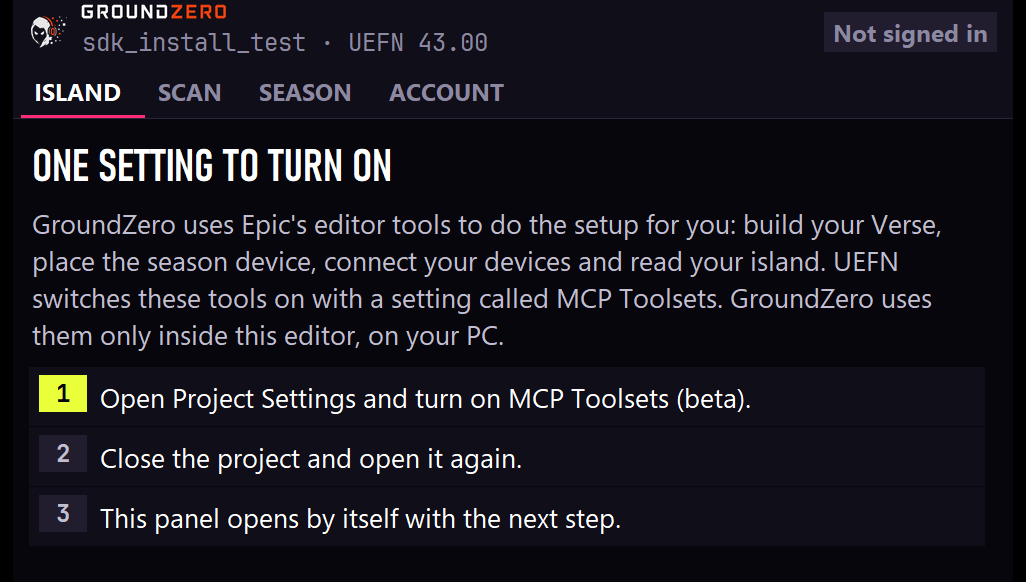
The panel says "GroundZero needs an update", or Verse errors appear right after a Fortnite update. Fortnite updates sometimes change something GroundZero uses. Your saved island isn't damaged, as long as you don't save and don't delete anything until this is fixed.
UEFN's boxes can look alarming: Verse Build Errors, a permanent data loss warning, and Data Recovery listing missing classes with bin buttons. The classes are only missing because Verse didn't build. Never click a bin.
The easy way, if you haven't opened the project yet: use the GroundZero Updater. If it's too late for that:
- Get the latest add-on from GroundZero. If UEFN is open, choose Close Project, then copy the add-on in as you did the first time.
- Open the project and choose Skip Rebuild, then Skip Rebuild & Continue. Leave Data Recovery alone.
- The panel shows Verse needs a fix. Press Update SDK.
- The panel shows One last step. Close UEFN and choose Don't Save. Open the project again. It opens with no errors and everything is back.
The panel stays on "Reading your island". UEFN is still loading your level. Give it a minute; if it doesn't move, close and reopen the project.
"Verse has errors" after installing.
Open the Verse panel to see the errors. If they are in Content\GroundZero, press Install SDK again to restore GroundZero's files. Never edit files in Content\GroundZero: the next update replaces them.
A mission stays at 0.
- Scan the island and check the stat it needs: if it's unknown or unlikely, your island may not produce it. Tell GroundZero, so the next season leaves it out.
- If it counts a device, run Set up island so the device is connected, then Check setup.
- Guard kills: if guards take no damage, set the guard spawner's team to a team other than the players' (Details).
Progress is gone when I start a new session. In UEFN edit sessions, Fortnite clears saved progress every launch. On a published island (even a private version) progress is kept between visits.
Lines starting with [GZ] appear in my test sessions.
That's the season device's Debug Log. Turn it off on the season device before publishing.
UEFN closed while I resized or reopened the panel. Update to add-on 0.2.0 or later: earlier test versions could crash UEFN there.
Still stuck?
Send GroundZero the lines starting with [GroundZero] and [GZ] from Window > Output Log, and a screenshot of the panel.