Set up: Quests tab
Your missions appear in Fortnite's pause menu, Quests tab, and Fortnite shows the tracked quest on screen as it moves. It uses Epic's Quest API, which can be published since Fortnite 43.00. Not sure it's right for you? See Where missions show.
Early test. Played on our test island on 4 November 2026: Daily and Weekly groups, progress and completion all worked. Some parts are not tested yet. Check the list before you rely on them.
Before you start
- UEFN 43.00 or later. The Quests tab doesn't work on older versions.
- GroundZero installed and set up as in the Quickstart. You can start from the HUD and switch.
- If you changed the HUD settings on the season device (Pinned Count, Accent Hex and so on), note your values. They don't exist with the Quests tab, and go back to their defaults if you switch back.
1. Switch to the Quests tab
In the panel, choose Quests tab when you install the SDK, or, if the HUD is installed, press Switch to Quests tab on the Season tab. The panel replaces only the display files and rebuilds Verse; if the build fails, it puts the previous display back.
After the switch:
- Wait for Verse to build (or build it yourself).
- In the panel, press Check setup. It should say Installed and up to date (quests display).
Later updates from the panel keep the Quests tab (Keeping GroundZero up to date).
2. Check the season device
You don't place anything new. The season device you already have keeps your season and connected devices.
- The HUD settings are gone from Details. That's expected: Fortnite draws the Quests tab.
- Debug Log: leave it on while you test, off before you publish.
3. Check it in a test session
Launch a session and check:
- Pause menu, Quests tab: a Daily group and a Weekly group in the sidebar, each with the GroundZero icon.
- Each group lists the missions served today, with an In-Island tag and an
X / Ybar. - Selecting a mission shows its description.
- Doing what a mission asks moves its bar, and Fortnite shows the tracked quest on screen.
- Finishing a mission fills its bar, and Fortnite marks it done with a check.
- A Season group, if your season has season-long missions (not tested yet).
What you should see:
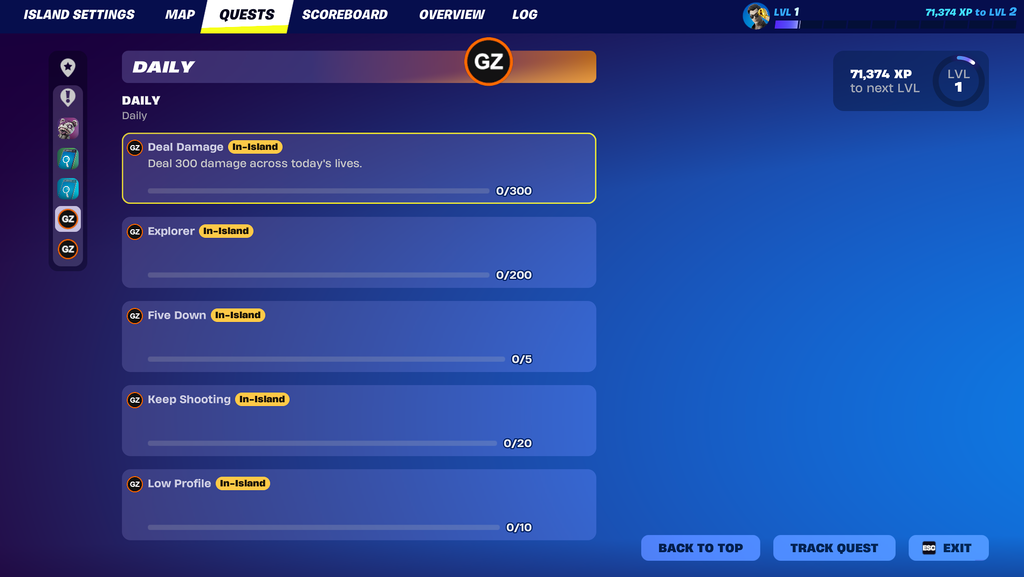
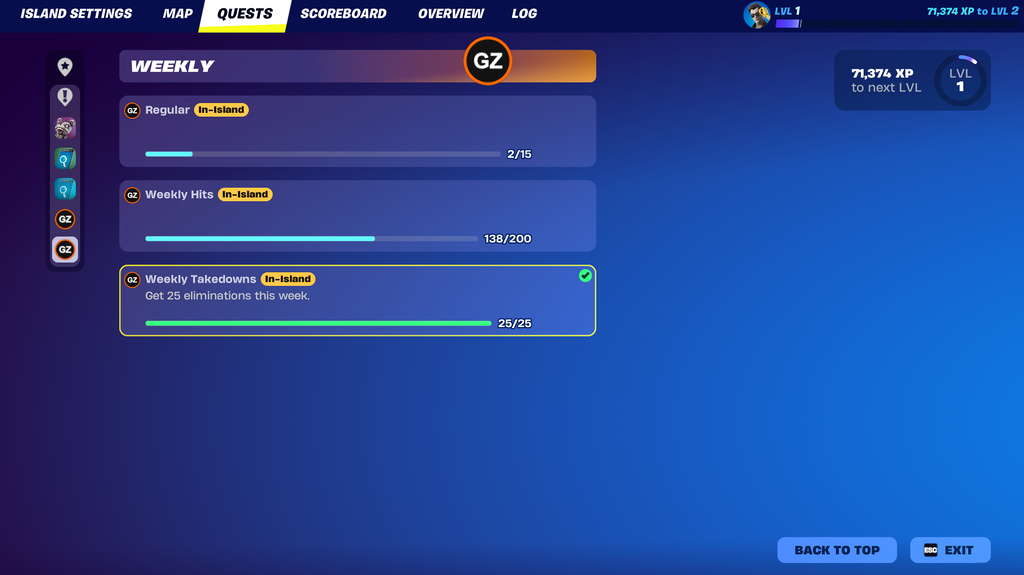
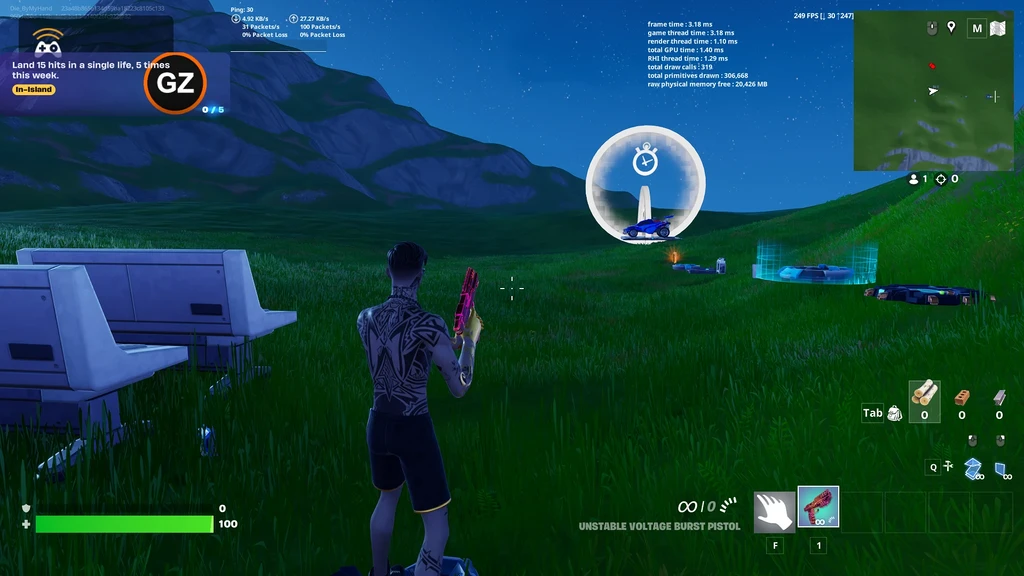
The bar stops one short of the goal until GroundZero decides the mission is done. That's on purpose: it keeps Fortnite from completing a mission early.
Progress resets each time you launch a new edit session. Published islands keep progress between visits.
4. Publish
Turn Debug Log off, then publish as usual.
Switching back to the HUD
Ask GroundZero to switch you back. Your season, devices and players' progress stay. Then set the HUD settings again on the season device (Set up: HUD).