Quickstart
About 15 minutes. You need UEFN 43.00, your island project and the GroundZero add-on zip. Your season pack comes from GroundZero once your island is scanned.
1. Install the add-on
Copy the zip's Content folder into your island's project folder, open the project and choose Allow when UEFN asks to run the project's Python scripts. Every step, and what you'll see on the way: Install the add-on.
2. Put your season pack where the add-on finds it
Copy your season pack folder (named like GZ-...) into Documents\GroundZero\Packs\. Create the folders if they don't exist. (Documents is the one you see in File Explorer, also when OneDrive backs it up.)
No pack yet? Skip this for now. Your season is built from the scan in step 4, so you add the pack then.
Install only the season GroundZero built for this island. A season built for another island can include missions your players can't finish here (for example eliminations on a race island). Coming: your season comes straight from your GroundZero account, made for this island, and folders of packs go away.
3. Turn on two settings (once per island)
- Project Settings > Beta Access > Enable Project Python scripts.
- Project Settings > MCP Toolsets (beta).
- Close and reopen the project.
The GroundZero panel opens by itself. To open it again later, type gz() in UEFN's Python bar.
4. Set up, in the panel
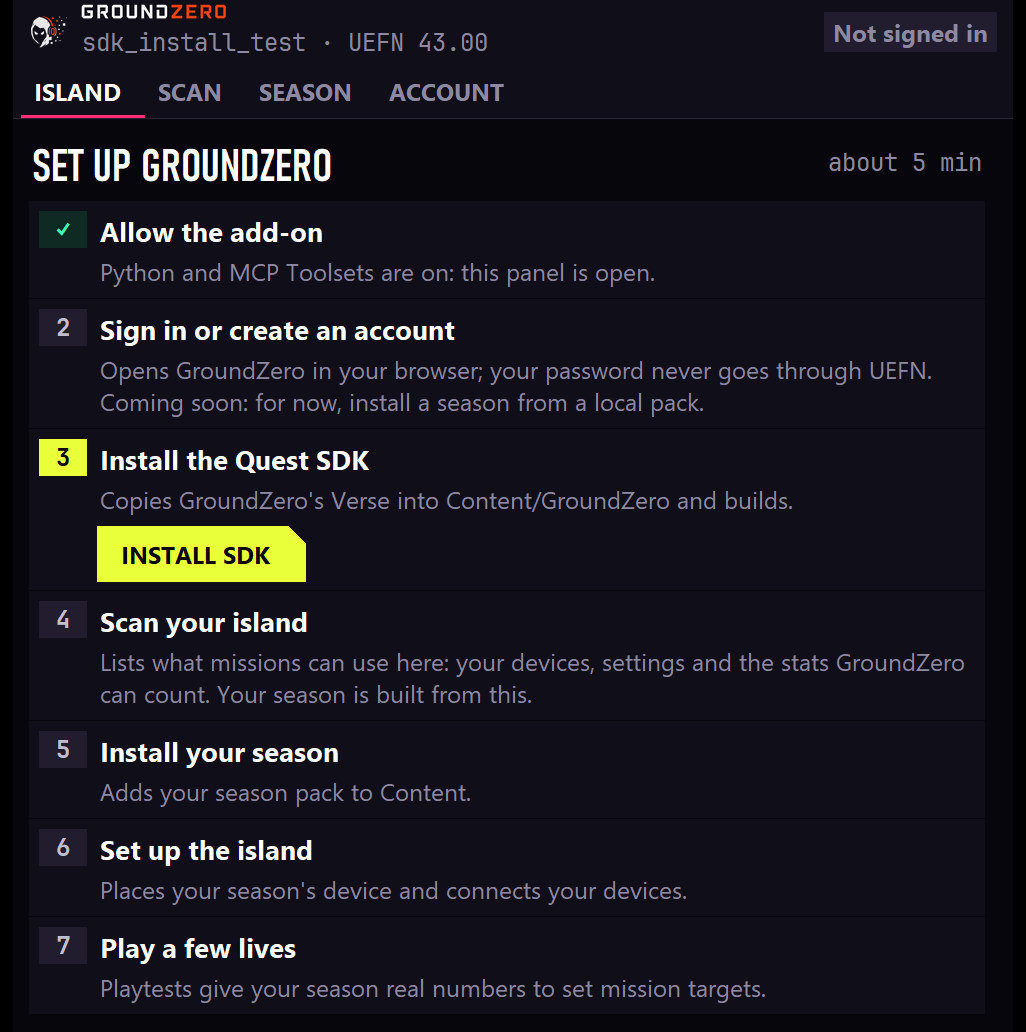
The Island tab walks you through these in order. Each step's button appears when it's your turn. Two rules explain the order: Scan comes before the season, because your season is built from the scan, and Set up comes after the season, because it places that season's device.
| Step | Button | What it does |
|---|---|---|
| 1 | Install SDK | Copies GroundZero's Verse into Content\GroundZero and builds |
| 2 | Scan island | Lists what missions can use here: your devices, your island settings and the stats GroundZero can count. Your season is built from this scan |
| 3 | Get your season | Sign in (Account tab), press Send to GroundZero (Scan tab), then in GroundZero answer the questions about your island, Generate, review the season and press Use on island (about 15 minutes). Back in the panel, Season tab: Install season from GroundZero. Every file is checked before anything is installed, then Verse builds |
| 4 | Set up island | Places your season's device and connects your devices |
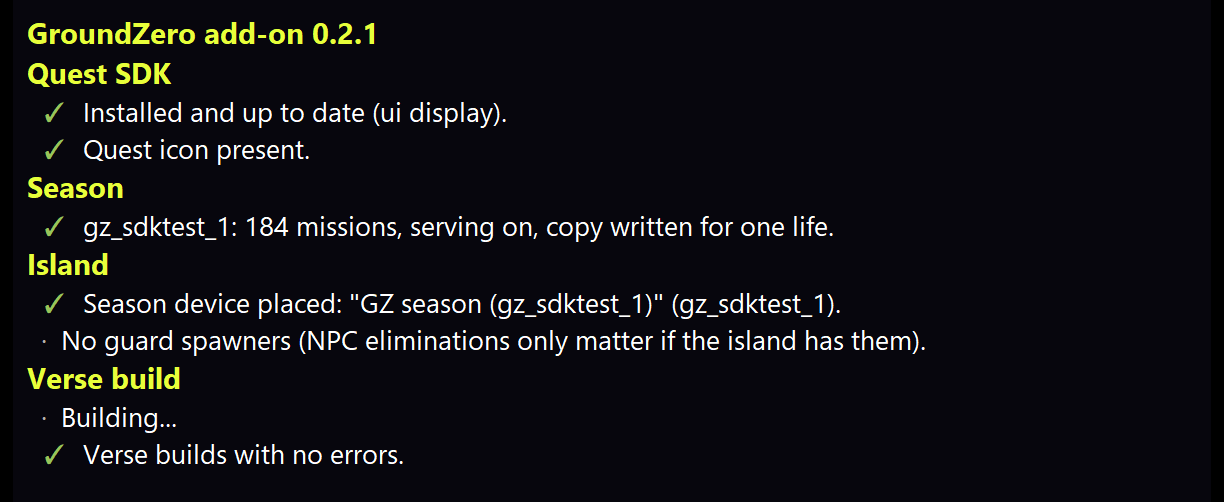
| 5 | Check setup | Checks everything; all lines should be green |
5. Play
Launch a session. Your missions appear on the right of the screen: Daily, Weekly and Season. See What players see.
That's the HUD, the default display. To show missions in Fortnite's Quests tab instead, see Where missions show.
Progress in test sessions. UEFN clears saved progress every time you launch a new edit session (that's how Fortnite works). Progress that lasts between visits shows up once your island is published, even as a private version.
Removing GroundZero
Use Remove GroundZero… in the panel's Account tab. It removes things in the right order, so your island still compiles. Don't delete the files by hand. See Removing GroundZero.